Most claims systems spread a claim across ten or more tabs — general, policy, parties, reserves, payments, notes, documents, diary, recoveries, history — and leave the adjuster to assemble them into a picture. The Claim Workspace is one page that draws the picture and says what to do next.
The layout
stage strip, service clocks, the narrative and the next step"] H --> Z1["1 Decision: the decision record,
coverage, what the agents found,
prepared decisions, pull-back"] H --> Z2["2 Loss brief: what happened,
parties, the line panel"] H --> Z3["3 Reserve: now, suggested and ultimate
with basis, by feature, history,
the worksheet"] H --> Z4["4 Resolve: payments, holds,
recoveries, settlement, litigation,
SIU, injury"] H --> Z5["5 Work: diary, documents,
letters, approvals"]
The hero answers “what is this claim and what do I do?” in two sentences. The stage strip — Opened, Coverage, Investigation, Negotiation, Payment, Closed — is the server's own view of where the claim is, not a status a person picked from a drop-down. Below it, five zones hold everything else in the order an adjuster reaches for it.
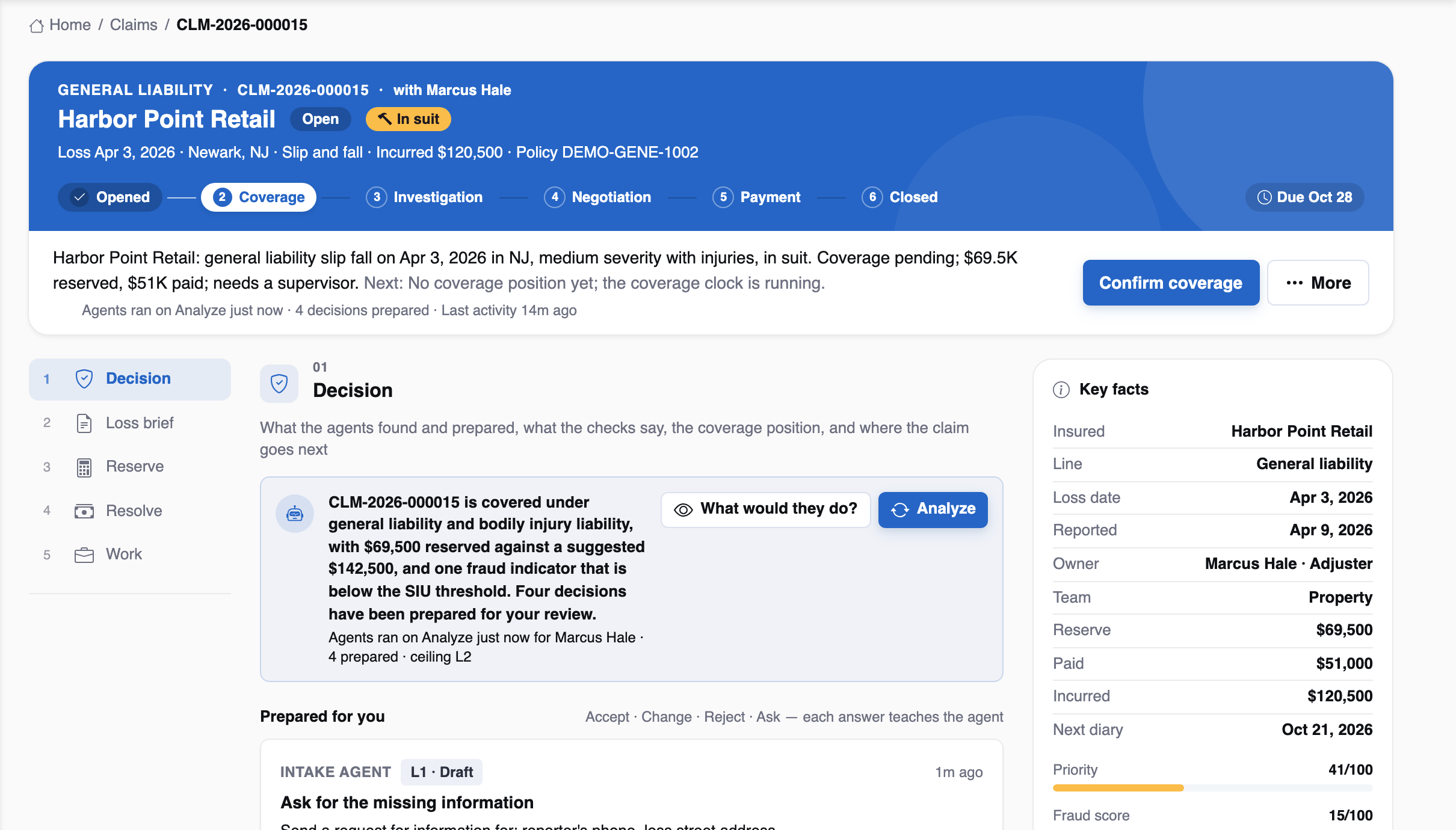
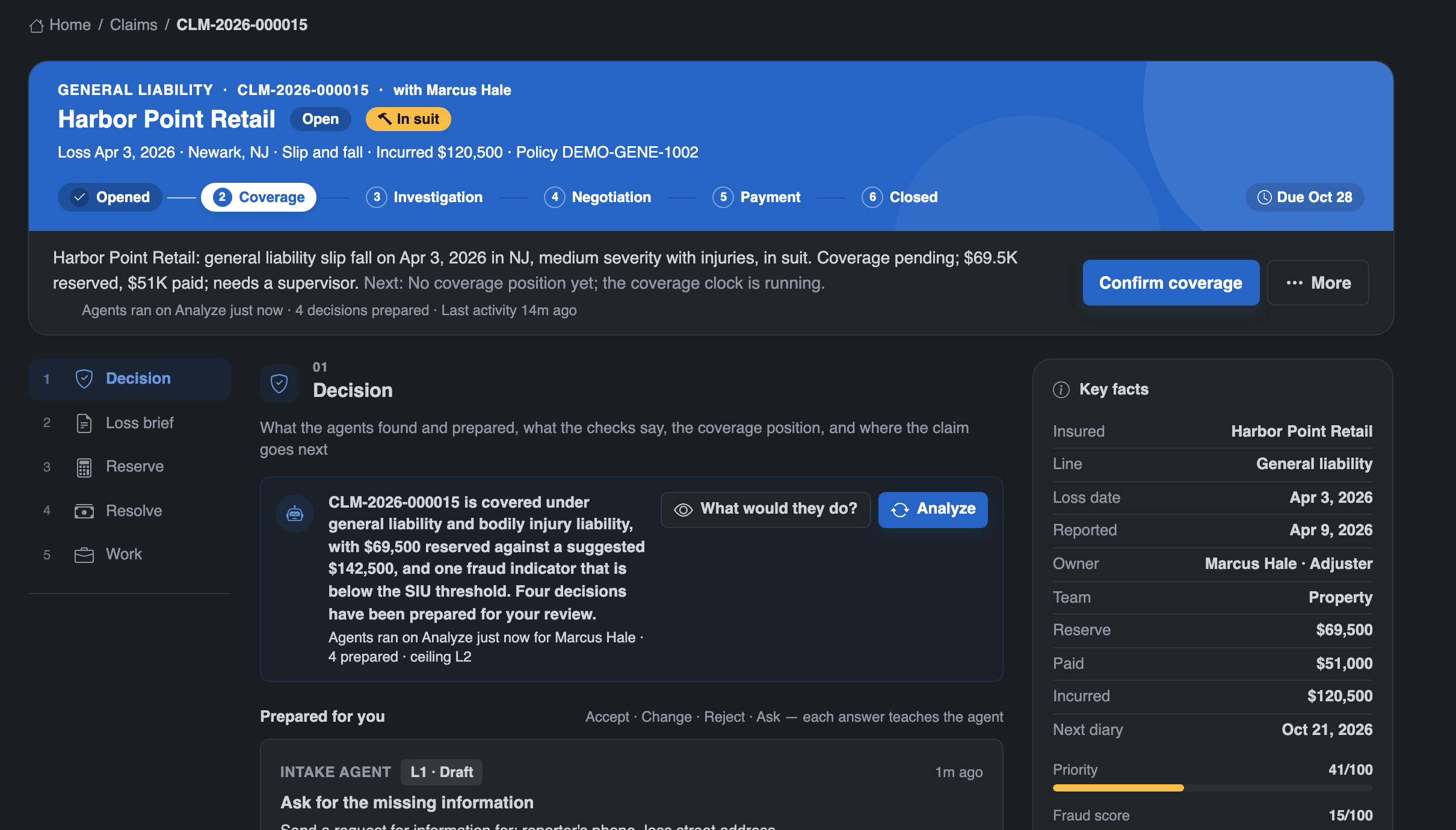
Stage actions instead of a status drop-down
A claim moves when someone does something: confirms coverage, denies or reserves rights, starts a negotiation, requests a payment, closes, reopens. Each is a stage action on the workspace, and each goes through one status owner with an allowed-moves map, a history row, an audit entry and — for closing — the closure gate. A refused action says why and changes nothing.
| Action | What it does |
|---|---|
| Confirm coverage | Pending coverages covered; the claim moves to investigating; the coverage clock is met |
| Deny | Coverages denied with a reason; the claim moves to denied |
| Reserve rights | Coverages under reservation of rights; the stage stays |
| Start negotiation | Moves to negotiating; opens the negotiation when a demand is given |
| Request payment | The payment, with authority and payment controls |
| Close | Releases every reserve through the ledger, closes features, checks the closure checklist |
| Reopen | Back to reopened, with a reason |
Every zone stands on its own
The workspace is one read from the server, assembled zone by zone. If one zone fails — a recovery table unavailable, say — the rest still render and the failed zone names its error. An adjuster is never left with a blank page because one part of the file had a problem.
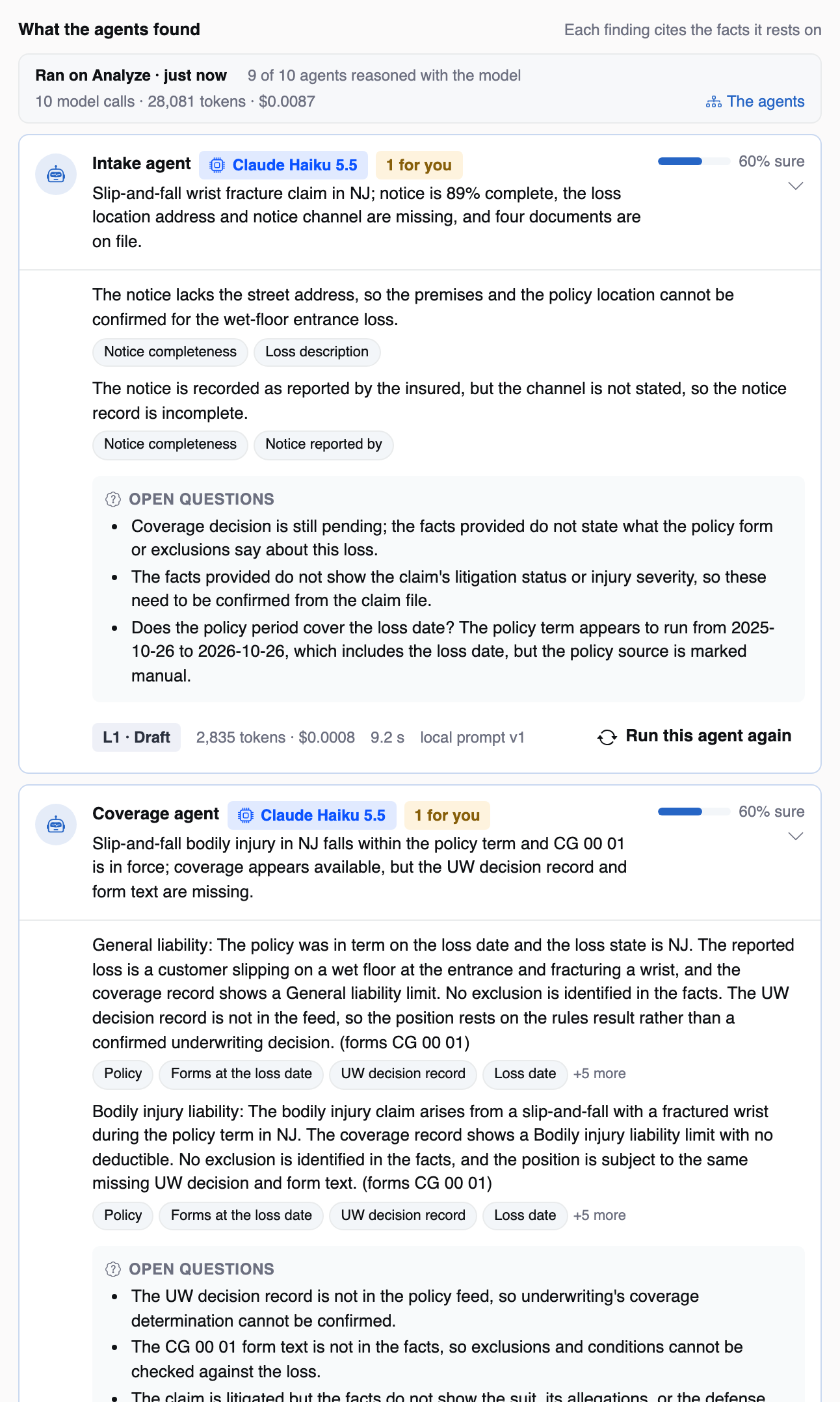
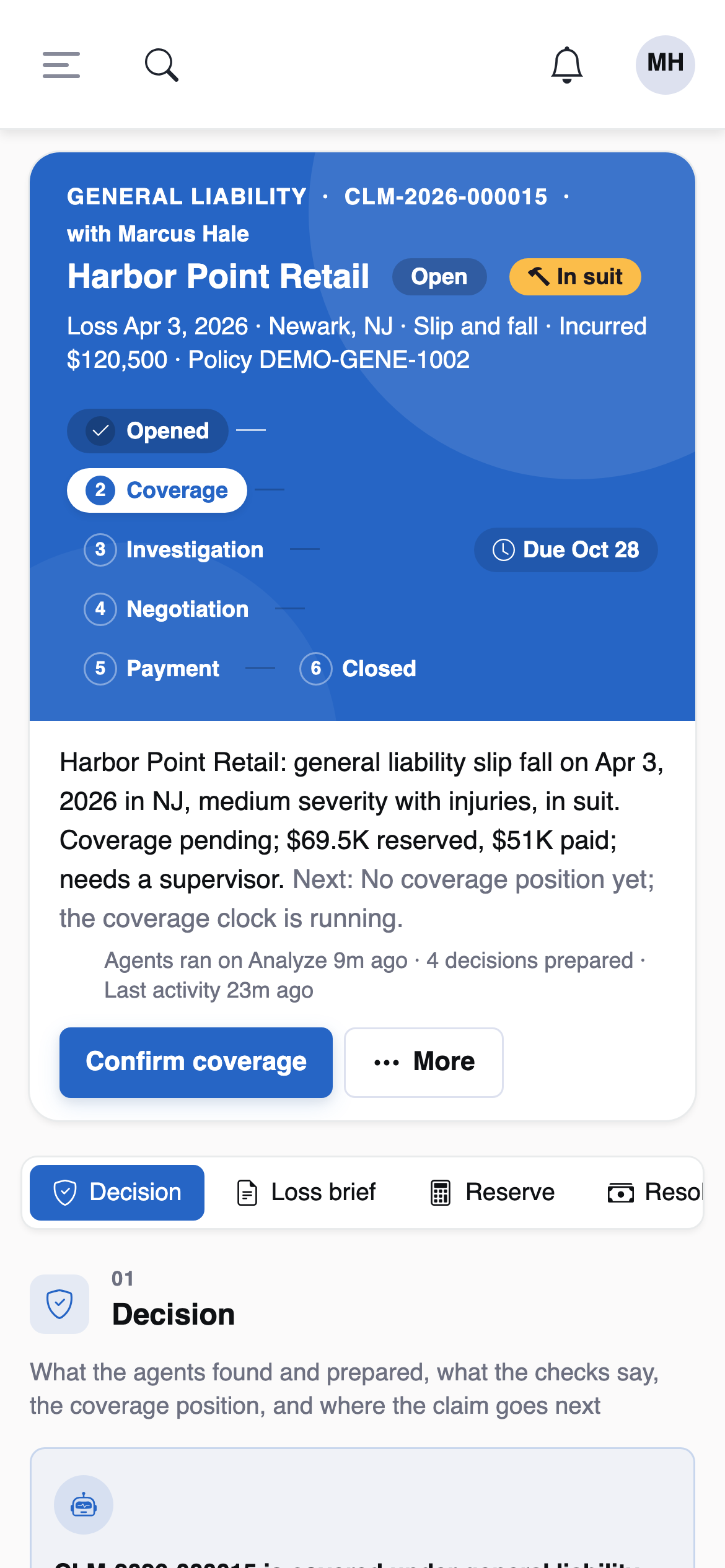
One readiness checklist, always visible
The closure checklist is on the workspace from the first day, not just at the end: reserves to zero, features closed, no payment or approval waiting, no negotiation open, a signed release for any settlement, recoveries concluded. An adjuster can see at any point what stands between the claim and closing it.
The agents work inside this page: their narrative sits in the hero, their findings and prepared decisions in the decision zone. See ten agents inside authority.